


ReadAnywhere
3.31.04K Reviews
App Specs
- Version
- 4.7.2
- Updated On
- License
- Free
- Downloads
- 500,000+
- Developer
- McGraw-Hill Global Education
- Categories
- Books & Reference
- Platform
- Android, iOS
Screenshots

 Analysis by AppCompare
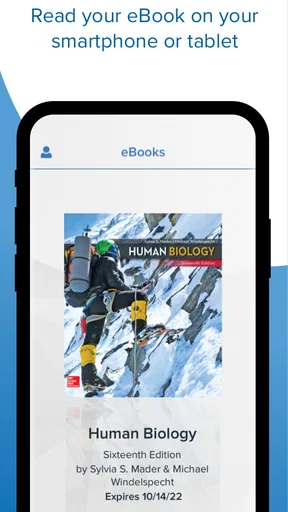
I approached ReadAnywhere as a practical reading companion rather than a complete digital bookstore. Its purpose is narrow but useful: people who already use McGraw Hill Connect can carry their books beyond a desk and open them while travelling, waiting between classes, or working away from a computer. That focus immediately tells me who will benefit most. If your course materials live in Connect, this app can reduce the need to keep a laptop open every time you want to review a chapter. If you are looking for a general e-reader for novels, library books, or PDFs from different sources, it is probably the wrong place to start.
McGraw-Hill Global Education developed the app, which sits in the Books & Reference category and is free to install. It is rated for Everyone, so the audience is broad, although the practical audience is much more specific: students, instructors, and Connect users who need access to their assigned reading on a mobile device. The app has passed the half-million-install mark and has an average rating of 3.3 from roughly seven thousand ratings, a mixed reception that matches my overall impression. The idea is genuinely convenient, but the experience depends heavily on how smoothly your Connect materials appear and how demanding your reading session becomes.
How ReadAnywhere feels during ordinary reading
For a normal session, the main appeal is the reduction of friction. Instead of opening a browser, finding a course, and navigating through a larger learning platform, I can treat the phone or tablet as a dedicated place for reading. That matters during small gaps in the day. A student waiting for a seminar can review a few pages, mark the point mentally, and return to the same material later without carrying a textbook or opening a full computer setup.
I would not describe the app as a replacement for every part of Connect. Its value comes from portability, not from turning a mobile device into a full academic workstation. Reading on a smaller screen is comfortable for short passages, definitions, and revision, but less pleasant when a chapter contains dense diagrams, wide tables, or several elements that need to be compared at once. A tablet is a much more natural fit for serious study, while a phone works best for focused, shorter visits.
Perceived speed is also tied to the task. Moving through ordinary pages should feel more immediate than loading an entire course website in a mobile browser, simply because the app is designed around accessing books. However, I would avoid judging it by the speed of a simple text reader. Educational books can contain complex layouts, illustrations, and interactive-looking course context, and those moments naturally place more demand on the device and connection.
One useful habit is to separate reading from searching. When I already know the chapter or section I want, the app makes more sense as a quick reference tool. When I am unsure where a concept appears, the broader Connect environment or a desktop browser may be more efficient. This is an important trade-off: ReadAnywhere can shorten the route to known material, but it is not necessarily the fastest tool for discovering everything inside a course.
What happens during heavier study sessions
The difference between a five-minute review and a long study block is significant. A short session asks the app to display a limited amount of content and lets me leave before small annoyances become important. A longer session exposes more practical concerns: screen fatigue, repeated navigation, the need to switch between notes and reading, and the possibility that a page with a complicated layout will take more patience than a plain page.
Worth Reading Before You Choose

EA SPORTS FC Mobile 26 Is a Bigger Football Game, but It Takes Time

Flipboard Shows What News Apps Must Do Beyond the Feed

Switching to Android Auto Means Rethinking Your Driving Routine

Google Calendar Makes a Crowded Week Easier to Manage

Ludo King Makes the Most of the Minutes Between Plans

Baby Panda World Brings Quick Play to Modern Phones, but Its Game Library Feels Busy
For extended preparation, I would use a tablet or a larger screen whenever possible. That is not a criticism unique to ReadAnywhere; academic books are simply easier to understand when headings, figures, examples, and surrounding explanations remain visible together. On a phone, I found the workflow better suited to reviewing a definition, checking a passage before class, or refreshing a topic after a lecture than to replacing a full evening of textbook study.
A realistic routine might look like this: I read a section at home on a larger device, then use ReadAnywhere on my phone during the commute to revisit the key pages. That approach plays to the app’s strength without asking a small display to handle every part of the course. It also makes the phone useful as a continuity device rather than as the only place where serious reading happens.
Heavy use can also reveal resource demands that are easy to overlook. A reading app may seem light when it is displaying a simple page, yet more elaborate educational content can make scrolling or page changes feel less effortless. I would keep other demanding apps closed during a long session if my phone is older or already busy. That is a sensible precaution, not a claim that ReadAnywhere is unusually demanding on every device.
The same principle applies to battery expectations. I would not choose this app for an all-day reading marathon on a nearly empty phone. Screen-on time is usually the larger concern with mobile reading, and a bright display, frequent page changes, or a weak connection can make the session less comfortable. A charged device and a stable connection are simple preparations that prevent the app from being blamed for problems caused by the surrounding setup.
Reliability and recovery when a session is interrupted
Reliability matters more here than it does in a casual reading app because the material may be tied to a course schedule. Losing a few minutes while reading a novel is irritating; losing the place in a chapter before an assignment can be genuinely disruptive. My advice is to build a recovery habit: note the chapter and section before closing a longer study session, especially if you are moving between devices or leaving the app in the middle of a complicated passage.
The app’s free price is helpful, but it should not be confused with unrestricted access to every book on the internet. Its role is connected to McGraw Hill Connect, so the important question is whether your required materials are available through that service. I would check that relationship before making it the center of a study routine. Installing it first and expecting it to function like a universal e-reader is likely to lead to disappointment.
When an interruption occurs, I prefer a simple recovery path: reopen the app, return to the relevant book, and confirm the chapter before continuing. If the app does not place me exactly where I expected, the chapter reference I wrote down saves time. This is one of the less obvious but most useful workflows for students. A tiny manual checkpoint is often more dependable than assuming every reading session will resume perfectly after a connection change, an operating-system interruption, or a switch to another device.
I also recommend allowing a little time before class rather than opening a required chapter for the first time seconds before it begins. That gives the book a chance to appear and lets me verify that the correct course material is reachable. It is especially sensible when the reading is essential and the mobile device has not been used with that course recently.
The average rating of 3.3 suggests that the experience is not universally smooth, and I would take that as a reason to test the app with your own Connect account instead of relying only on the concept. Educational platforms can feel excellent for one student and awkward for another depending on course organization, device age, screen size, and connection quality. The app deserves a fair trial, but I would keep a browser or computer available as a fallback during important deadlines.
Device limits and the best way to use it
ReadAnywhere requires an operating system version of at least ten, which is a practical compatibility boundary to check before installing. That requirement means the app is not aimed at every older phone or tablet still in use. If your device cannot meet it, upgrading hardware or using Connect through another supported route may be more sensible than trying to force a mobile reading workflow.
Screen size is the next major constraint. A phone is convenient because it is always nearby, but convenience does not remove the limitations of a narrow display. I would use it for linear reading, quick revision, and checking assigned pages. I would switch to a tablet or computer for side-by-side comparison, long note-taking sessions, spreadsheets, detailed figures, or any chapter where the layout carries as much meaning as the words.
There is also a difference between a device that can run an app and a device that makes the app pleasant. A recent tablet with a comfortable display may turn ReadAnywhere into a dependable study surface. An older phone that technically meets the operating-system requirement may still feel cramped or less responsive when the content becomes visually dense. This is why I would judge the app together with the device rather than treating compatibility as a guarantee of comfort.
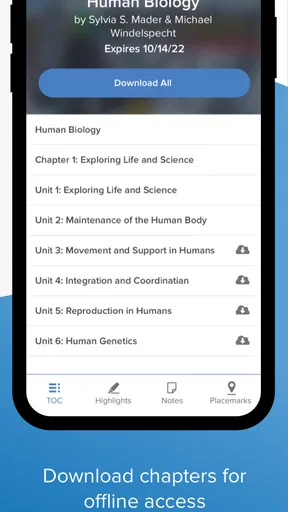
For storage and connection planning, I would keep expectations realistic. The app gives Connect users mobile access to their books, but I would not assume that every reading situation will be equally convenient when connectivity is poor. Before travelling, I would open the material I expect to need and confirm that it is ready for the session. That small check is more useful than discovering on a train, in a basement classroom, or in a crowded campus area that the chapter is not immediately available.
Compared with a traditional e-reader, ReadAnywhere has a different purpose. A dedicated e-reader is usually better for long, uninterrupted reading, especially when the priority is comfort and a distraction-free screen. Compared with a general reading app, ReadAnywhere is more relevant when the book is part of a McGraw Hill Connect course. Compared with a mobile browser, it offers a more focused route to the reading experience, but the browser may remain the better option when I need the wider learning environment or several course tools at once.
Who should use it and who should skip it
I would recommend ReadAnywhere to a student whose required books are already in McGraw Hill Connect and who regularly studies away from a desk. It is particularly useful for people who dislike carrying printed textbooks, need to fill short gaps between commitments, or want a second reading device without paying for another general e-book service. The free installation also makes experimentation straightforward for eligible Connect users.
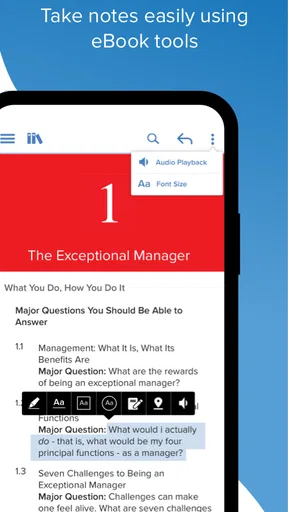
I would be more cautious if your study style depends on extensive annotation, comparing multiple pages, or working with a large amount of material at once. A laptop or tablet may provide a better overall workflow, while printed pages can still be superior for rapid physical reference and handwritten notes. Likewise, readers who want fiction, independent PDFs, library loans, or books from several publishers should choose a broader reading platform rather than expecting this app to cover those needs.
Instructors may find it useful when they want to inspect assigned reading from a mobile device, but I would not treat it as a substitute for the full teaching and course-management environment. Its strongest role is access to books, not the entire range of tasks that surround a course. That distinction prevents a common mistake: judging the app as incomplete when it is actually designed for a narrower job.
My performance verdict after weighing convenience against friction
My final view is positive but specific. ReadAnywhere is most successful as a lightweight bridge between formal study and everyday movement. It makes McGraw Hill Connect reading more approachable when a computer is inconvenient, and it can turn a phone or tablet into a useful backup for assigned chapters. I appreciate that focused purpose more than I would appreciate a crowded app trying to reproduce every part of a learning platform on a small screen.
Its perceived speed should be strongest during straightforward reading and weaker when the material is visually complex, the device is older, or the connection is unreliable. Its stability is best protected by practical habits: start important chapters early, keep a manual note of your place during long sessions, and maintain access to a browser or computer for deadlines. These are not glamorous features, but they make the difference between a convenient companion and a frustrating single point of failure.
The current release is version 4.7.2, and the app has been available since June 23, 2017, giving it a long presence in the mobile reading space. I would still make the decision based on your actual course access and device rather than its age or version number. Install it if your books are in Connect and mobile access would genuinely help your routine. Skip it if you need a universal library, advanced desktop-style study tools, or the most comfortable environment for many uninterrupted hours of reading.
My recommendation is simple: use ReadAnywhere as a dependable companion to Connect, not as a replacement for every other reading and study tool. In that role, it solves a real problem. It lets me review course books in places where a laptop is inconvenient, while its limitations remain manageable when I choose the right device and keep a sensible backup plan.
Pros
- Works offline after books are downloaded.
- Clean reading interface with adjustable text size.
- Supports bookmarks for quickly returning to saved pages.
- Syncs reading progress across supported devices.
- Useful search makes finding words or passages easier.
Cons
- Some advanced features may require a subscription.
- Large books can take time to download over mobile data.
- The catalog may vary depending on your region.
- Limited customization compared with dedicated e-reader apps.
- Syncing can be unreliable with a weak internet connection.
FAQs for ReadAnywhere
What is ReadAnywhere, and what can I use it for?
ReadAnywhere is a reading app designed to let users access digital books and other supported reading content from a mobile device. It is especially useful for people who want to continue reading away from a computer, whether at home, during travel, or without a stable internet connection. Available features and content may depend on the library, school, publisher, or service connected to your account.
Do I need an account or an active subscription to use ReadAnywhere?
In most cases, you need valid login credentials provided by the organization or service that supports your ReadAnywhere access. Depending on the platform, this may be a school, library, publisher, or digital reading provider. The app itself may be free to download, but access to books and premium content can require an active membership, subscription, or institutional authorization.
Can I read books offline with ReadAnywhere?
ReadAnywhere generally supports downloading available reading materials so they can be opened when an internet connection is unavailable. You normally need to download a title while connected to Wi-Fi or mobile data before going offline. Offline access may be limited by licensing rules, loan periods, account status, storage space, or the specific content provider, so not every title will necessarily remain available indefinitely.
Is ReadAnywhere available for both Android and iPhone?
ReadAnywhere is intended for mobile reading and may be offered on Android and iOS devices, although exact compatibility can vary by version, region, and the service that distributes the app. Before installing, check the official Google Play Store or Apple App Store listing for supported operating system versions, device requirements, recent updates, and any regional restrictions that could affect installation or access.
What should I do if my books do not appear or the app will not sync?
If your titles are missing or ReadAnywhere is not synchronizing correctly, first confirm that you are signed in with the correct account and that your device has a reliable internet connection. Refresh the library, close and reopen the app, and install any pending updates. If the problem continues, check whether your loan or subscription has expired and contact the relevant library, school, publisher, or app support team.


